How to

add lenzvu app to your phone

We currently provide a web based app for mobile phones.

Through our web based app we provide the capability to make calls, send text message and email clients and members.

You can easily follow the steps below to add the web based app to your phone so that you can quickly access LenzVU on your phone.

icon About

Step 1 On your phone visit https://www.lenzvu.com
click on login and login to lenzvu

mobile-lenzvu-mainpage
icon About

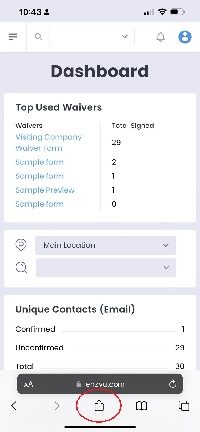
Step 2 Click on the middle safari button

click on safari button
icon About

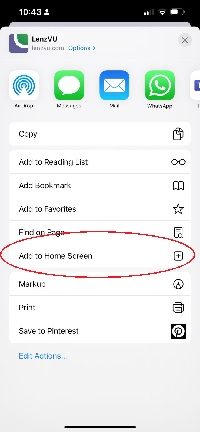
Step 3 select add to home screen

add to home screen
icon About

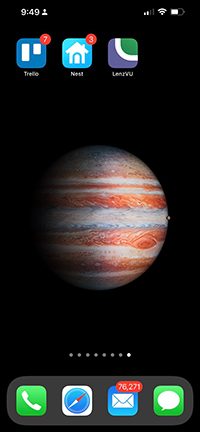
You now will see the app on your phone

signal-2022-10-05-214954_006

Stop Chasing Clients. Start Growing Them.

Turn leads into loyal customers with smarter marketing and effortless automations.

Fill out the form below to create your LenzVU account.