Home » Mariana Tek Integration Setup
LenzVU’s allows you to setup and integrate your Mariana Tek account with our system. Follow the steps below to get started!
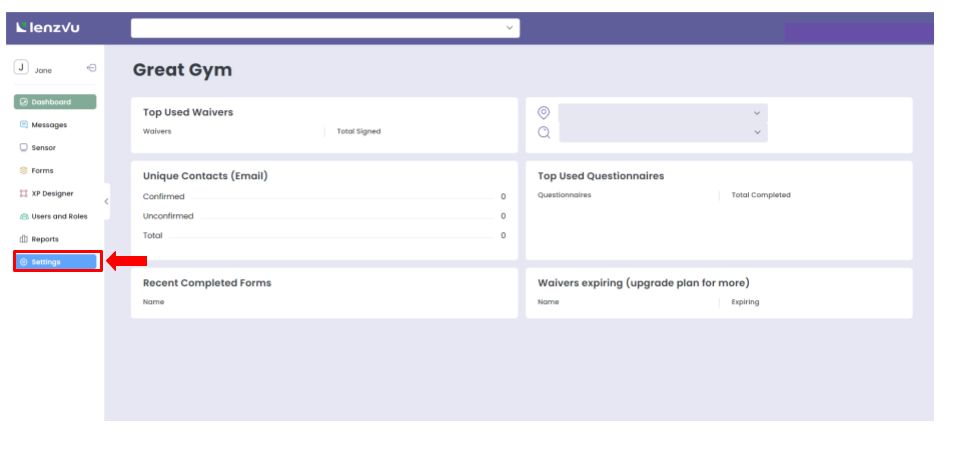
Step 1: Login to your LenzVU Account and select “settings” from the menu on the left
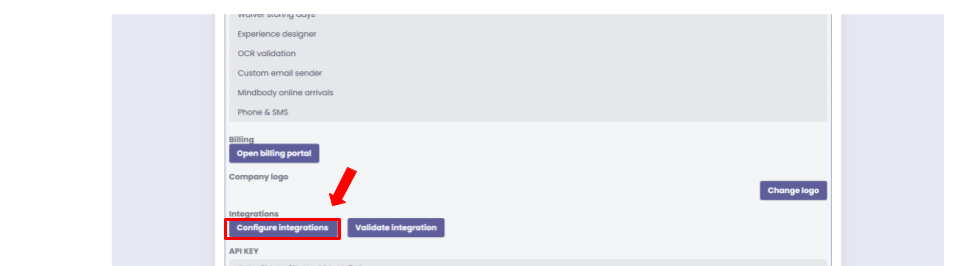
Step 2: Once in settings, scroll down and click on “configure integrations” under integrations
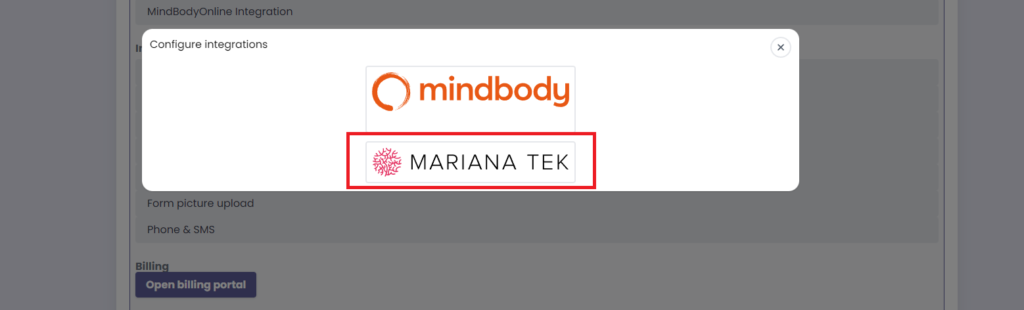
Step 3: You will then be presented with a pop-up showcasing different options of integrations. Click on “Mariana Tek”
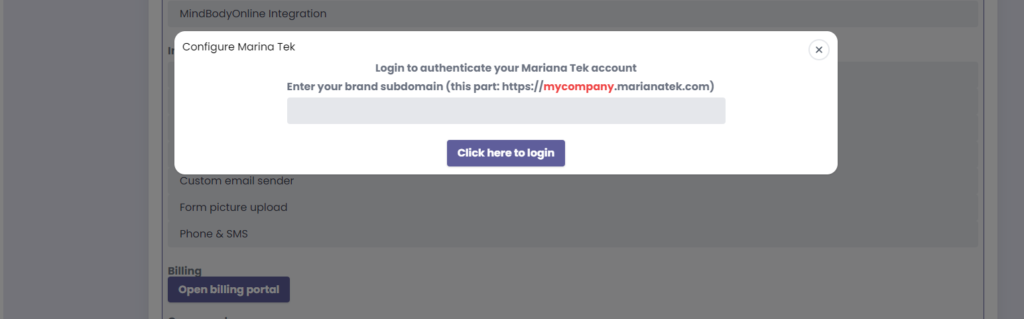
Step 5: Enter your Mariana Tek domain URL in the field presented. You just need to enter the ending part without marianatek.com.
Step 6: Follow the next steps as prompted to complete your Mariana Tek integration setup!
Turn leads into loyal customers with smarter marketing and effortless automations.
Fill out the form below to create your LenzVU account.