LenzVU’s integration process is designed to be simple and straightforward. follow the next few easy steps to successfully integrate with our partners.
1. To begin the integration process, you will need to first log in to your LenzVU account. If you have yet to create an account, click here to sign up in just a few clicks of a button!
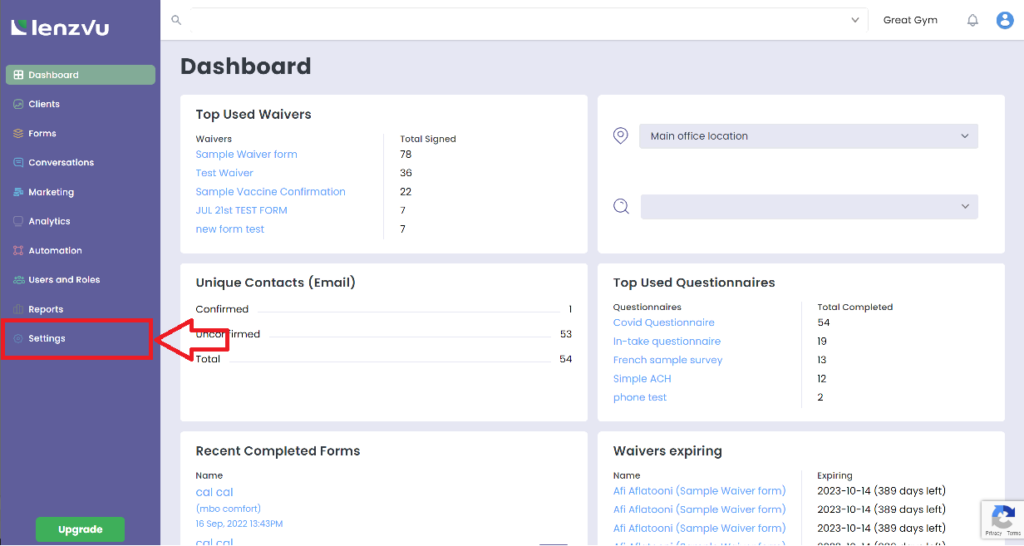
2. On the main dashboard, click “settings” in the left menu.
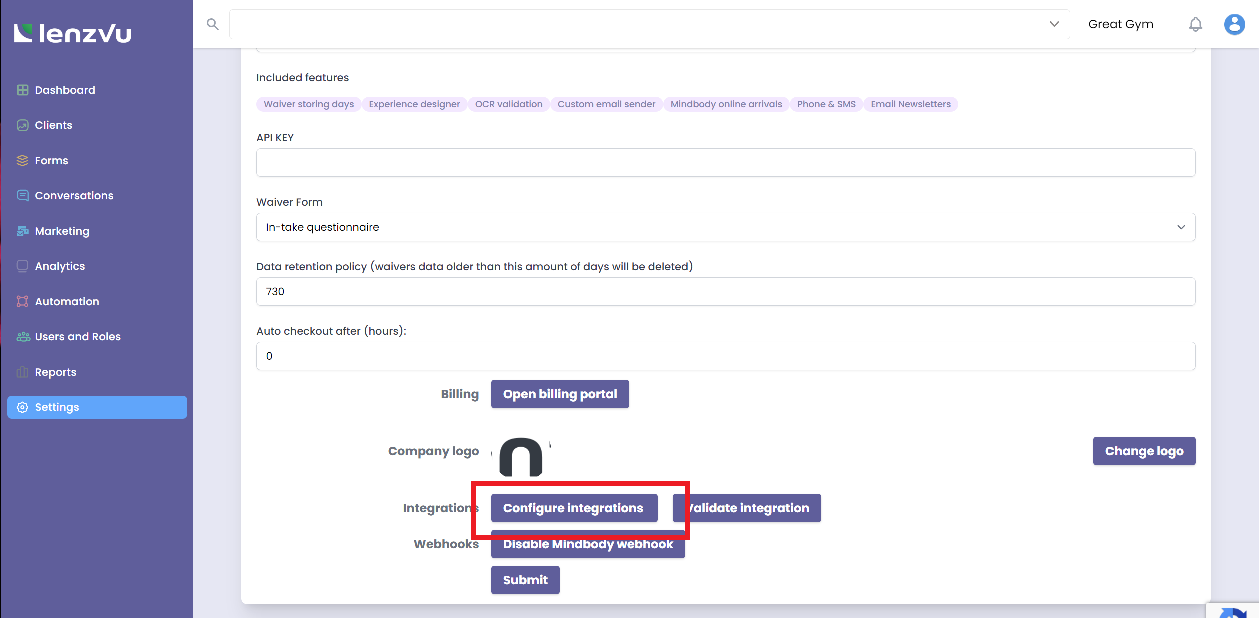
3. Once you are on your account settings, scroll down and click “configure integrations”.
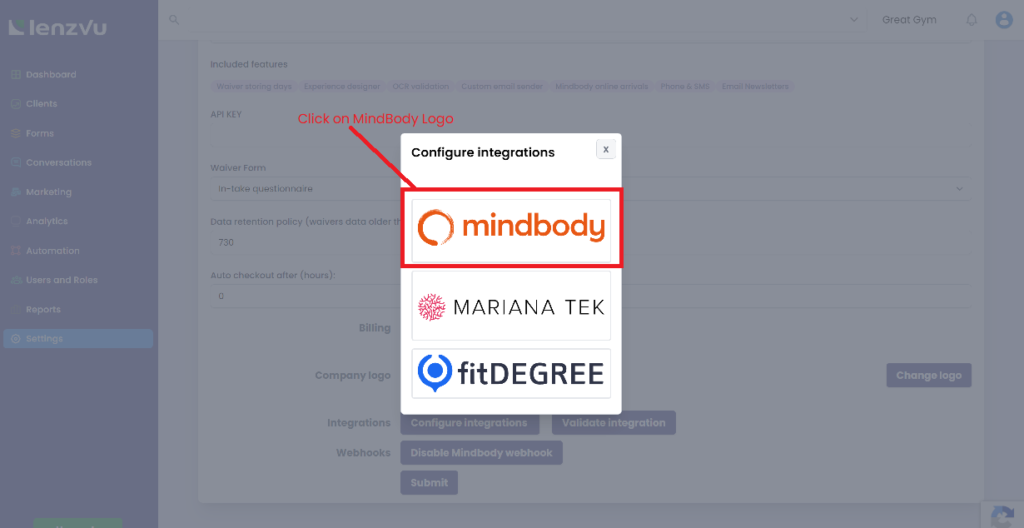
4. Select the software that you wish to integrate with. In this case, click the MindBody logo to continue.
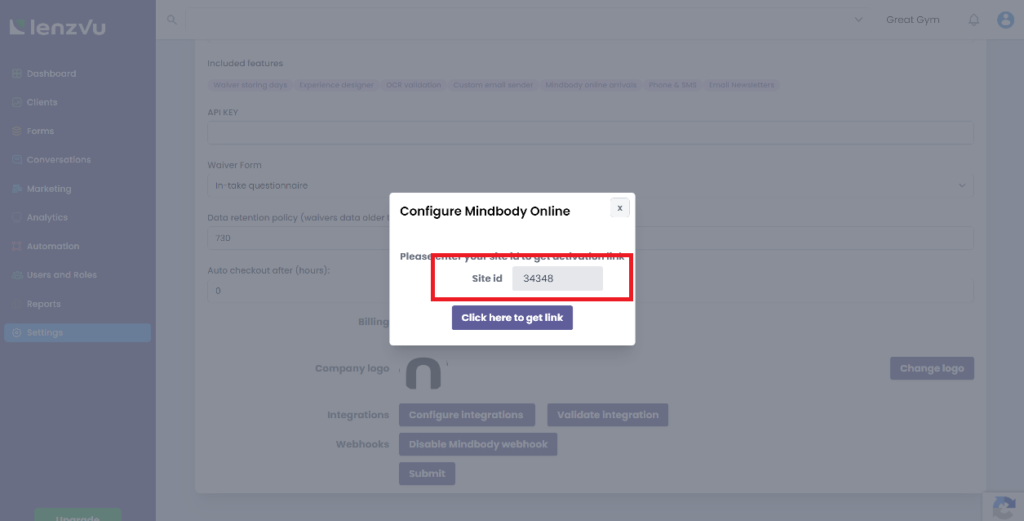
5. Here, you will need to enter your site ID to receive your activation link. Your site ID can be obtained from your Mind Body Online account. Make sure to add the “-” in the beginning, as that is part of your ID.
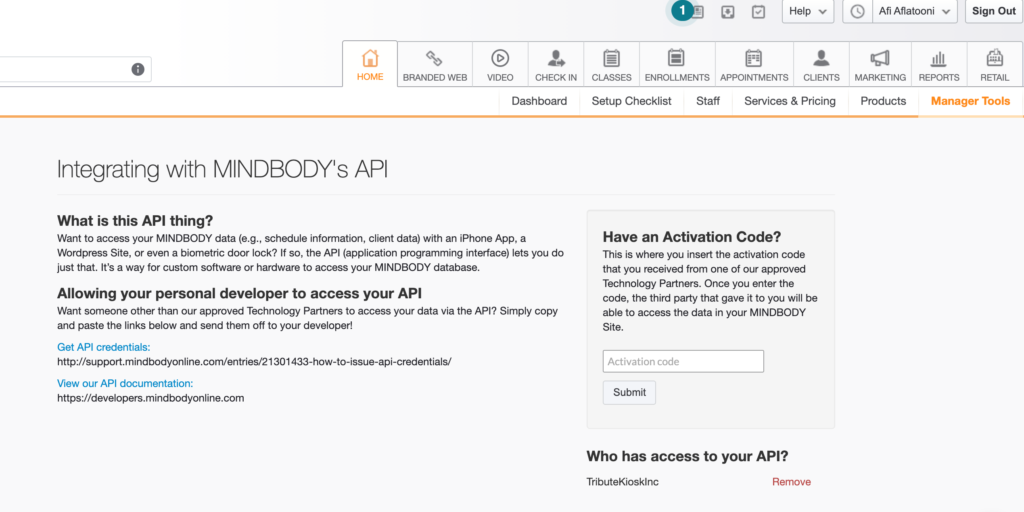
6. Meanwhile, log in to your Mind Body Online account and go to the integration tab. Here, you can enter your activation code which is obtained from the activation link above.
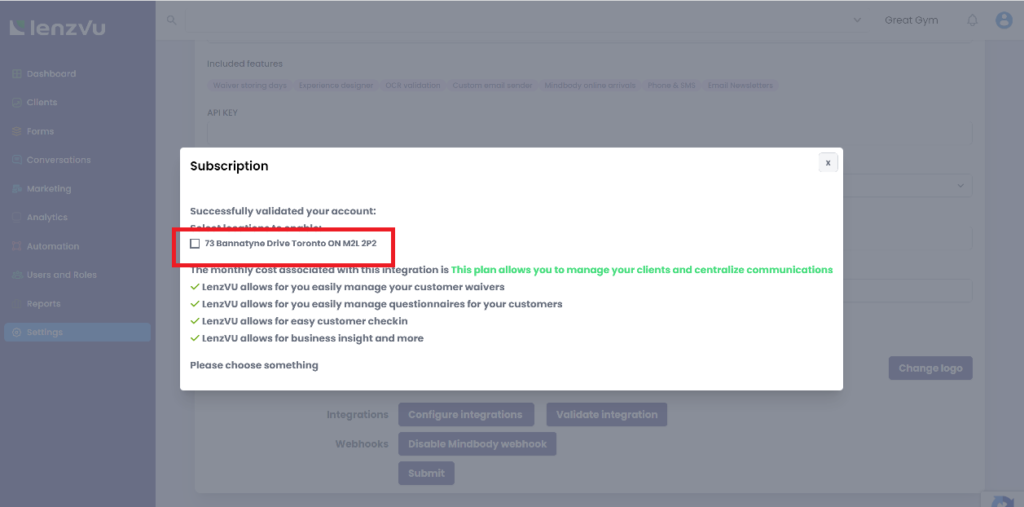
7. Once you have successfully activated your subscription, you will see the following displayed on your LenzVU tab, which confirms your subscription features and location. Check out to complete your integration.
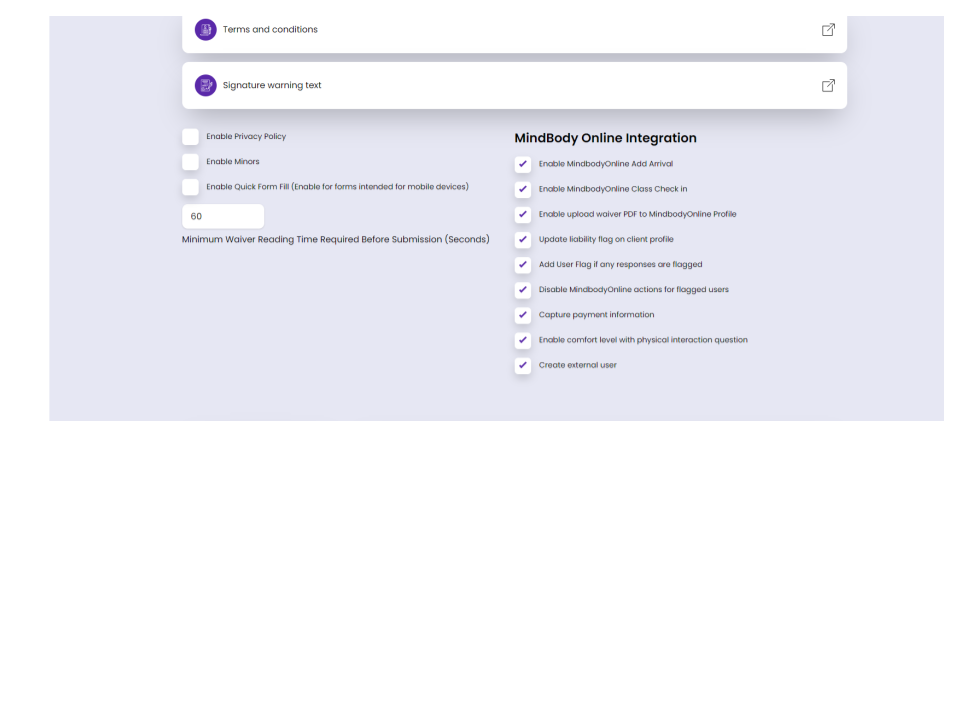
8. Once everything is completed, you will now see the Mind Body Online integrated features in your form designer. You can then select any applicable features to enable.
Need help with your Mind Body Online integration? Send us a message!
Stop Chasing Clients.
Start Growing Them.
Turn leads into loyal customers with smarter marketing and effortless automations.
Fill out the form below to create your LenzVU account.