Home » MindBody Integration Setup
LenzVU’s allows you to setup and integrate your MindBody Online account with our system. Follow the steps below to get started!
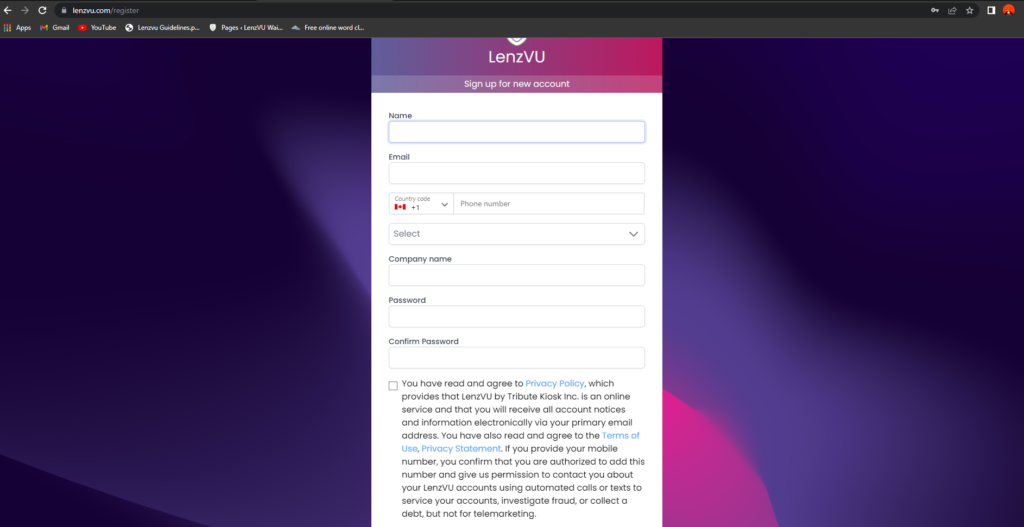
Step 1: Register or log into your LenzVU account
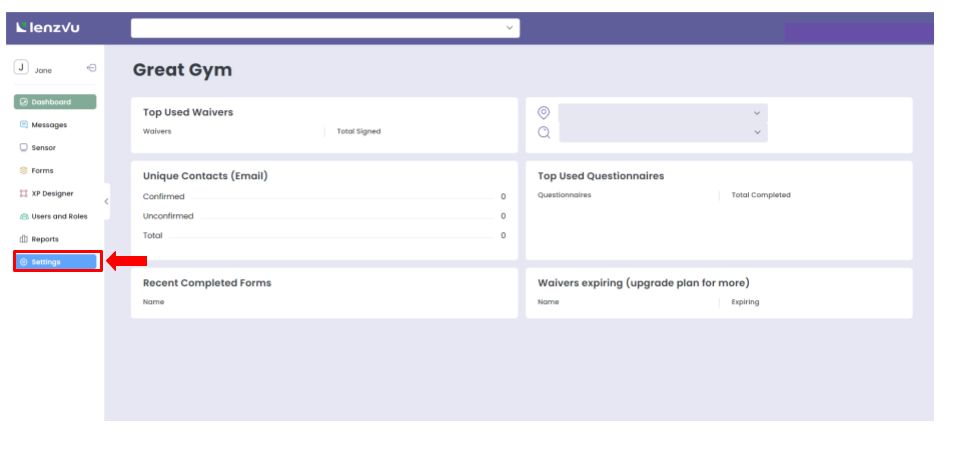
Step 2: Once you arrive on the dashboard, select “settings” from the menu on the left
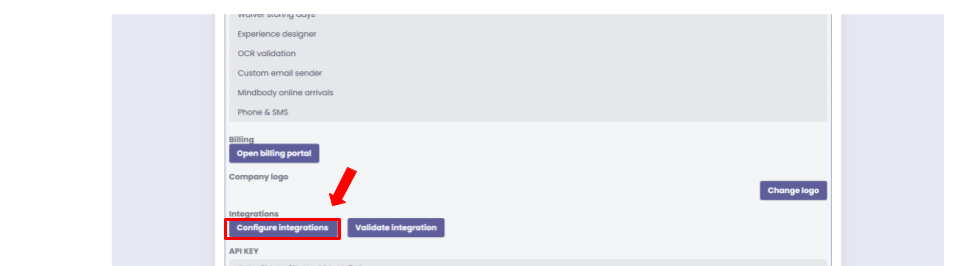
Step 3: Once in settings, scroll down and click on “configure integrations” under integrations
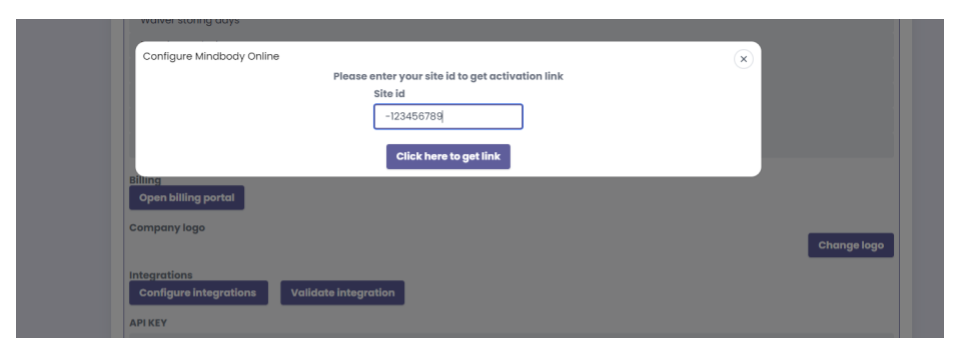
Step 4: You will then be presented with a pop-up showcasing different options of integrations. Click on “MindBody”
Step 5: Enter your MindBody Online Site ID, which can be found on your MindBody account dashboard. Once entered, click on “click here to get link”
Step 6: Follow the next steps as prompted to complete your MindBody integration setup!
Turn leads into loyal customers with smarter marketing and effortless automations.
Fill out the form below to create your LenzVU account.