Stop Juggling Five Apps This Black Friday
For a fitness or yoga studio, Black Friday is a lot to hold together: an offer to launch, lists to sort, emails and texts to send, ads running, questions at all hours, and new buyers to follow up with. When all of that lives in five different apps, things slip, and the promo falls flat. With LenzVU, Black Friday runs from one place.
Here’s how you can use LenzVU before, during, and after Black Friday to make your promo actually work.
THE SHORT ANSWER
To make your Black Friday promo work with LenzVU, build your offer page and lists in LenzVU, schedule your emails, texts, and ads ahead of time, turn on LenzAssist to answer questions 24/7, set exit conditions so buyers stop getting sale messages, and use automations and tasks to follow up with every buyer until they become a regular client.
BEFORE BLACK FRIDAY
Before Black Friday: Set Up Your Promo In LenzVU
USE LENZVU TO
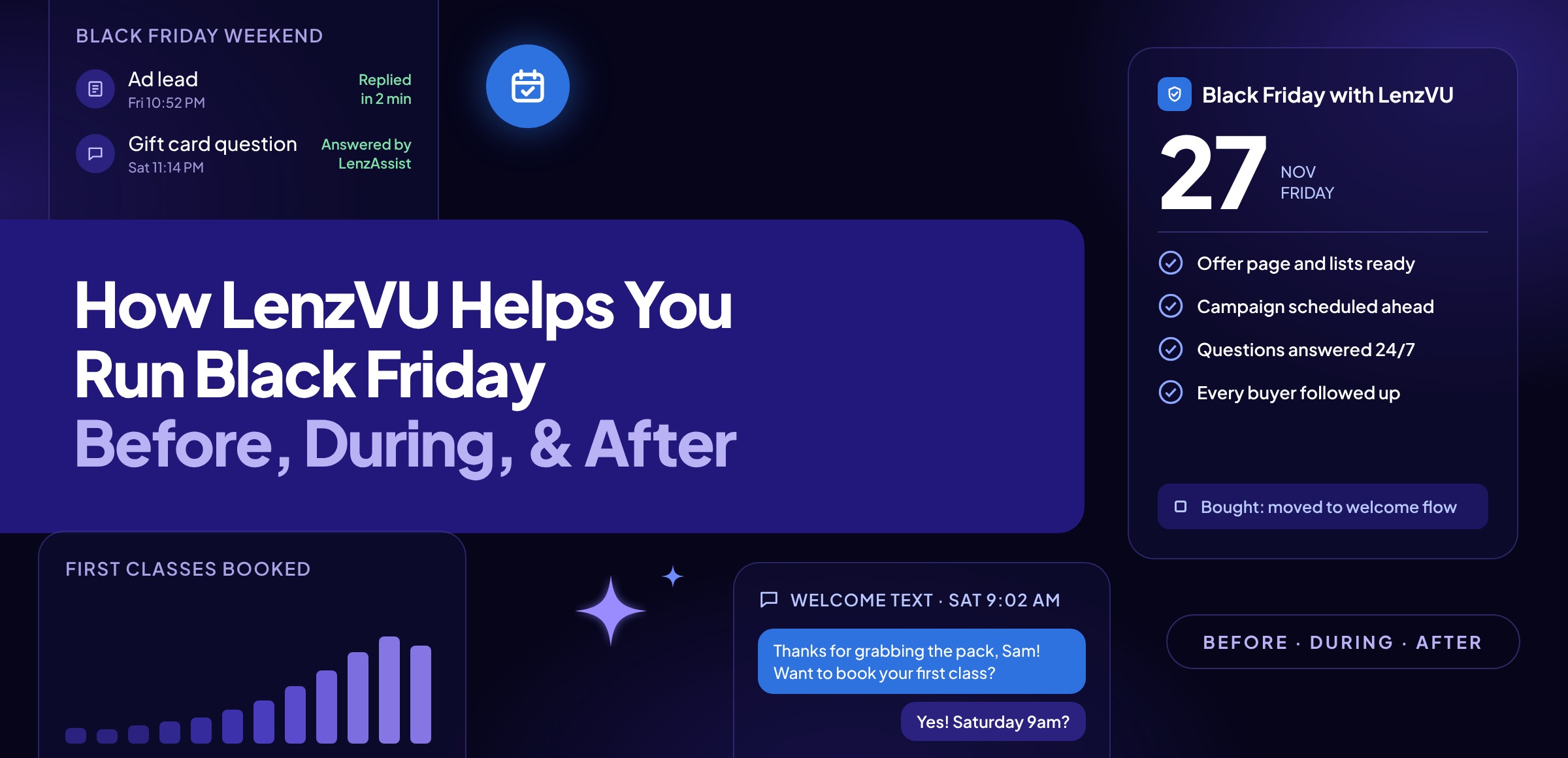
| ✓ | Build your offer page. Use LenzVU’s Web and Landing Pages to create a branded page for your Black Friday offer, with a form built in. Everyone who signs up for early access or asks a question goes straight into your CRM, not a separate spreadsheet. |
| ✓ | Build your lists with Smart Audiences. Create groups like past clients, old leads, and people who took a class but never came back. Leave current members out of your new-client offer, and use lead scoring to see who’s most likely to buy. |
| ✓ | Run your ads from Meta Ads Manager. Launch your Facebook and Instagram ads inside LenzVU, so every lead lands in your CRM and gets an automatic email or text within minutes, day or night. |
| ✓ | Schedule your whole campaign ahead of time. Write your emails in the Email Campaign Builder and your texts with SMS and MMS messaging, then schedule them with workflow automations. Early access, launch day, reminders, and last call all go out on time, to the right group, without anyone hitting send. |
BLACK FRIDAY WEEKEND
During Black Friday Weekend: Let LenzVU Handle The Rush
USE LENZVU TO
| ✓ | Turn on LenzAssist for after-hours questions. LenzAssist AI Receptionist answers calls, and LenzAssist AI Chat answers website chats, 24/7. Questions about start dates, gifting, and which classes are included get answered while you’re teaching or finally taking a day off. |
| ✓ | Answer faster with AI-drafted replies. When a client texts or emails a question, LenzAssist drafts a reply your front desk can send in seconds, instead of writing every answer from scratch on a busy weekend. |
| ✓ | Keep every conversation in one place. Every call, text, email, and booking saves to the client’s profile in the LenzVU CRM, so your team sees the full picture without switching apps. |
| ✓ | Set exit conditions so buyers stop getting sale messages. When someone buys, they leave your sale sequence and move into your welcome sequence. Nobody who’s already bought gets a “Last chance!” text on Cyber Monday, and anyone who opts out is removed right away. |
| ✓ | Assign follow-ups with tasks. Send any question that needs a human answer to the right person on your team, so nothing falls through the cracks. |
AFTER BLACK FRIDAY
After Black Friday: Use LenzVU To Turn Buyers Into Clients
USE LENZVU TO
| ✓ | Send every buyer a welcome. Set up a welcome automation that sends each buyer a thank-you, a link to book their first class, and a quick “what to expect” message, so their first visit is easy to plan. |
| ✓ | Flag buyers who haven’t come in. Set a task to go to your front desk or studio manager when a buyer hasn’t booked after a set number of days, so a real person can reach out before they drift away. |
| ✓ | Track every buyer in your pipeline. Use the sales pipeline to see who’s bought, who’s booked, who’s come in, and who’s ready for a membership offer, all in one view. |
| ✓ | Collect reviews and referrals. Use Reviews and Reputation Management to ask happy new clients for Google reviews, and Referral Tracking to see who’s bringing friends through the door. |
| ✓ | Check what worked. Use Reporting and Link Tracking to see clicks, calls, and sales from every email, text, and ad, so you know what to repeat next year. |
Use It With The Tools You Already Have
You can keep your booking software. LenzVU connects with platforms like Mindbody, MarianaTek, fitDegree, Spivi, Acuity Scheduling, WellnessLiving, and Stripe, so your client, booking, and payment information stays connected while you run your Black Friday marketing and follow-up in LenzVU.
Frequently Asked Questions
How can I use LenzVU for Black Friday?
Use LenzVU to build your offer page and contact lists, schedule your emails, texts, and ads, answer questions 24/7 with LenzAssist, stop sale messages the moment someone buys, and follow up with every buyer afterward.
Can I keep my Black Friday offer away from current members?
Yes. With Smart Audiences, you can leave current members out of your new-client offer automatically, while past clients and old leads get the message instead.
What happens when someone buys during my sale?
Exit conditions take them out of your sale messages right away and move them into a welcome sequence that helps them book their first class.
Do I need to switch booking software to use LenzVU?
No. LenzVU connects with Mindbody, MarianaTek, fitDegree, Spivi, Acuity Scheduling, WellnessLiving, Stripe, and more.
Make This Year’s Black Friday Promo Work
Black Friday is November 27, and Cyber Monday is November 30. Set up your promo in LenzVU now, and your offer, lists, messages, questions, and follow-up all run from one place, so you can focus on welcoming new clients instead of juggling apps.
See how you can run your Black Friday promo in LenzVU
Book a demo, and we’ll walk you through setting up your offer, messages, and follow-up.